Digital receipts with a QR code: what the law says and how to offer them
Can you stop printing receipts? What Spain's invoicing regulation requires, why paper still matters and how to add a digital copy with a QR code.
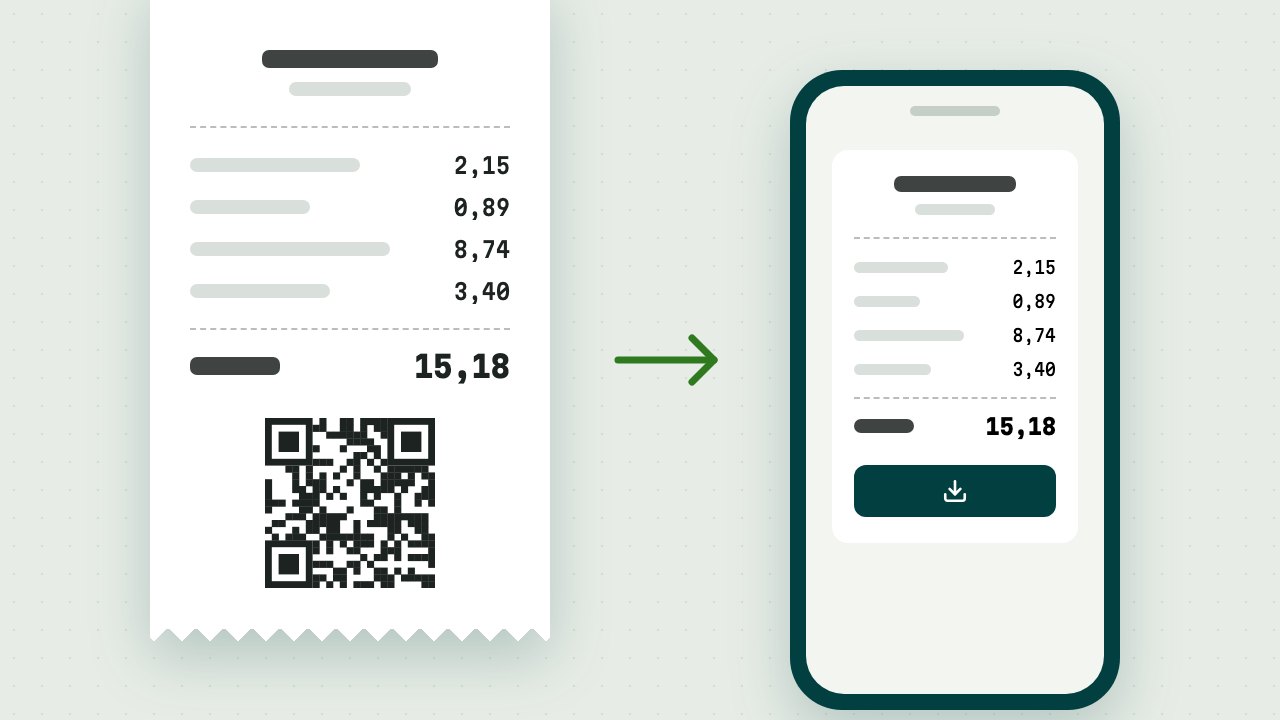
Short answer: in Spain you have to issue a receipt (a simplified invoice) for every sale. You can hand it over electronically, but only if the customer agrees. The most practical option today is to print the receipt and add a QR code that opens a copy on the customer's phone.
What the law requires
In retail you can issue a simplified invoice for sales up to €3,000 including VAT (article 4.2 of Royal Decree 1619/2012). It must show, among other things, the number and series, the date, your tax ID and name or company name, the VAT rate and the total (article 7.1).
The same regulation makes electronic invoices conditional on the recipient's consent (article 9.2). So you can't decide on your own to stop printing and email everyone their receipt. If you want to go digital-only, each customer has to agree.
Why paper still matters
- It meets the delivery requirement without asking anyone's permission.
- It works for the customer who has no phone with them or doesn't want to get it out.
- You don't have to ask for an email or phone number at the till. That slows the queue and makes you responsible for personal data you don't need.
What doesn't work about paper
The receipt from the weekly shop ends up crumpled at the bottom of the bag. Thermal paper fades with heat and light, and when the customer comes back three weeks later to return something, sometimes you can't read it.
Then there's what the paper is made of. Since 2 January 2020 the European Union has banned thermal paper with 0.02% or more bisphenol A (Regulation (EU) 2016/2235). Today's rolls use other developers, but plenty of customers would still rather not touch the receipt.
The middle ground: a printed receipt with a QR code
You print the receipt as usual and add a QR code at the bottom. A customer who wants it on their phone scans it with the camera and sees a copy with every item, the VAT breakdown and the store details. They can save it or print it at home.
No email, no sign-up, no app to install. And if the customer loses the paper, they can show the copy on their phone when they return something.
If you build this yourself or compare providers, check three things:
- The link can't be guessed. If the QR holds the plain receipt number, anyone can see other people's shopping by changing one digit. The link should use a random identifier.
- It loads fast on a weak signal. Many people scan it at the door or in the car park.
- It isn't the VeriFactu QR. The VeriFactu QR takes you to the Tax Agency to check the receipt is registered, not to the list of what you bought. They are two codes with different jobs. Our VeriFactu page explains it.
How Salut handles it
Every receipt a Salut till prints carries a QR code with a unique, random link. Scanning it opens a web copy of the receipt with the items, the VAT breakdown and the store details, ready to save or print. We don't ask the customer for any data and there's no app to install.
If you want to see how it looks on a real receipt from your shop, get in touch.
Sources
- Royal Decree 1619/2012, Spanish invoicing regulation, articles 4, 7 and 9.
- Commission Regulation (EU) 2016/2235, restriction on bisphenol A in thermal paper.